
How to use this tool
On this device · no upload
- Choose one PDF.
- Enter up to 60 characters and choose opacity. Text is placed diagonally in the center of every page.
- Create the PDF and download the new file.
- Check the saved PDF for font appearance, wording and readability. Fonts may differ between devices.
Example and result check
With the three-page practice PDF, enter “DRAFT” and choose 25% opacity. The same text is added to the center of every page. It is inserted as an image and cannot be searched as PDF text.
Practice file
Supported files and limitations
On this device · no upload
A watermark is not copy protection or secure redaction. Do not use it to remove confidential information. Very long or small text may look soft when enlarged.
Processes one PDF locally, up to 50 MiB and 200 pages. Output is limited to 128 MiB and processing to two minutes. Encrypted PDFs are unsupported. Signatures, bookmarks and forms may not be preserved. Keep the original.
Real results from the same practice PDF
These results keep the REVIEW text in the same position and change only opacity. At 15% the mark is faint; at 50% it is more prominent over the contents. Try 25% first, then zoom in where it overlaps text or diagrams. Opacity is not a measure of secure redaction or copy protection.
Download the original three-page PDF ↓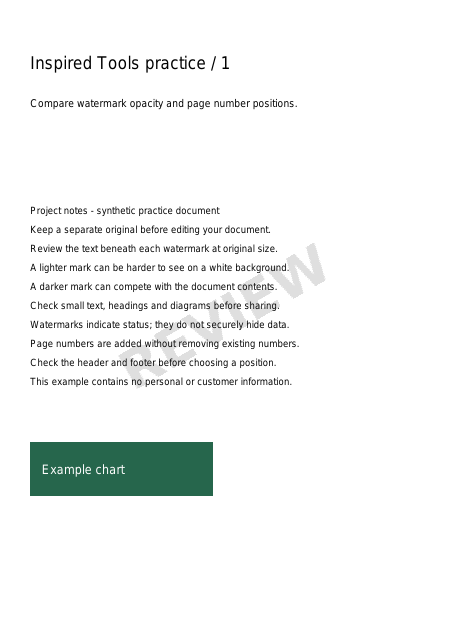
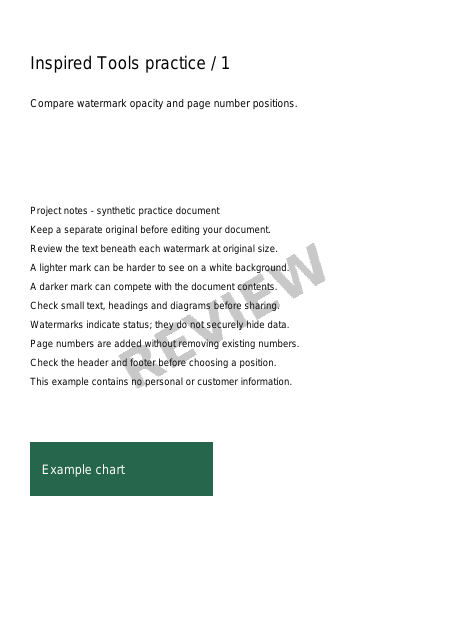
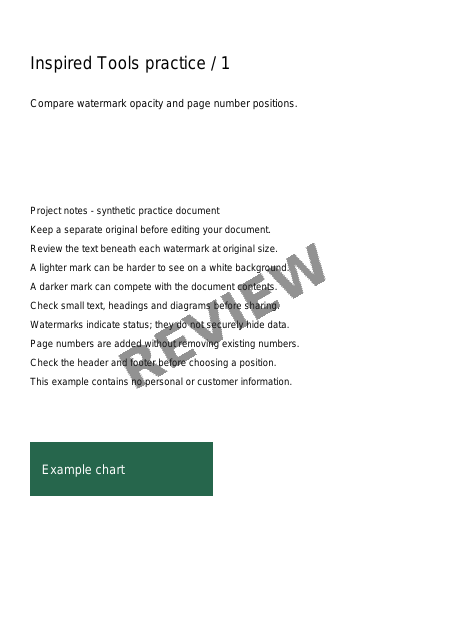
We processed our synthetic three-page document with the same PDF engine used by the tools. Images show a reduced first page of each result PDF. No personal documents were used; appearance can vary with device fonts.